|
|
| (60 intermediate revisions by the same user not shown) |
| Line 27: |
Line 27: |
|
| |
|
| Images backups are made by System Administrator. | | Images backups are made by System Administrator. |
| | <!-- Cr-Api-Key: CR-Wiki-Public-jagAA4388DSfjk3 --> |
| | |
| | To-Do: |
| | * Wiki DB conversion (Arch, Ranzu). |
| | * New Templates for DB conversions (Arch, Ranzu). |
| | * Stat calculators. |
| | * Custom Cosmetics Page. |
| | * Accessibility on mobile (CSS - Main Page, Some templates, Custom Missions pre markers, etc) [making all stuff look good on mobile]. |
|
| |
|
| <!-- Cr-Api-Key: CR-Wiki-Public-jagAA4388DSfjk3 -->
| |
|
| |
|
| ''Written by Ranzu. Last Updated 22 March 2024.'' | | ''Written by Ranzu. Last Updated 24 May 2024.'' |
| ==Templates== | | ==Templates== |
| ===Color Templates=== | | ===Color Templates=== |
| Line 36: |
Line 43: |
|
| |
|
|
| |
|
| Used with E.g. <code><nowiki>{{/lblue}}</nowiki></code> or <code><nowiki>{{/blue}}</nowiki></code>, as closing tag. | | Used with E.g. <code><nowiki>{{/lblue}}</nowiki></code> or <code><nowiki>{{/blue}}</nowiki></code> and <code><nowiki>{{/EndColor}}</nowiki></code>, as closing tag. |
|
| |
|
| [https://wiki.chromerivals.net/index.php?title=Chat#Text_color Chat#Text_color] | | [https://wiki.chromerivals.net/index.php?title=Chat#Text_color Chat#Text_color] |
| Line 46: |
Line 53: |
| * {{orange}}#F5B930 <code><nowiki>{{orange}}</nowiki></code> \e {{/orange}} Enchant Manual | | * {{orange}}#F5B930 <code><nowiki>{{orange}}</nowiki></code> \e {{/orange}} Enchant Manual |
| * {{lime}}#00FF00 <code><nowiki>{{lime}}</nowiki></code> \g {{/lime}} Enchant Fix | | * {{lime}}#00FF00 <code><nowiki>{{lime}}</nowiki></code> \g {{/lime}} Enchant Fix |
| * {{dorange}}#F4891E<code><nowiki>{{dorange}}</nowiki></code> \h | | * {{dorange}}#F4891E <code><nowiki>{{dorange}}</nowiki></code> \h |
| * {{brown}}#A64A0C <code><nowiki>{{brown}}</nowiki></code> \k | | * {{brown}}#A64A0C <code><nowiki>{{brown}}</nowiki></code> \k |
| * {{lapis}}#00AAFF <code><nowiki>{{lapis}}</nowiki></code> \l | | * {{lapis}}#00AAFF <code><nowiki>{{lapis}}</nowiki></code> \l |
| Line 59: |
Line 66: |
| * {{yellow}}#FFFF00 <code><nowiki>{{yellow}}</nowiki></code> \y | | * {{yellow}}#FFFF00 <code><nowiki>{{yellow}}</nowiki></code> \y |
|
| |
|
| | ===Toggle button=== |
| ---- | | ---- |
| | <code><nowiki>{{ToggleButton}}</nowiki></code> |
|
| |
|
| ===Toggle button===
| | Usually called to display/collapse elements. |
| <code><nowiki>{{Toggle}}</nowiki></code>
| |
| | |
| | |
| Always include space or break before this template if you using <code>Title</code>.
| |
| | |
| | |
| Used with <code><nowiki>{{/Toggle}}</nowiki></code>, as closing tag.
| |
| | |
| | |
| <pre> | | <pre> |
| {{Toggle|Title=Title_Goes_Here}} | | {{ToggleButton|Title=Title_Goes_Here| |
| Toggled_Content_Goes_Here | | Toggled_Content_Goes_Here |
| {{/Toggle}}
| | }} |
| </pre> | | </pre> |
|
| |
|
| Line 85: |
Line 85: |
| </pre> | | </pre> |
|
| |
|
| | '''Preview:''' |
| | {{ToggleButton|Title=Standard Enchanting Cards| |
| | * Energy Card |
| | * Std. Attack Card |
| | * Adv. Attack Card |
| | * Std. Reat Card |
| | * Adv. Reat Card |
| | * Std. Accuracy Card |
| | * Adv. Accuracy Card |
| | * Std. Pierce Card |
| | * Adv. Pierce Card |
| | * Defense Card |
| | * Evasion Card |
| | }} |
| | {{ToggleButton| |
| | * Energy Card |
| | * Std. Attack Card |
| | * Adv. Attack Card |
| | * Std. Reat Card |
| | * Adv. Reat Card |
| | * Std. Accuracy Card |
| | * Adv. Accuracy Card |
| | * Std. Pierce Card |
| | * Adv. Pierce Card |
| | * Defense Card |
| | * Evasion Card |
| | }} |
| | |
| | ===Toggle List button=== |
| | ---- |
| | <code><nowiki>{{ListToggle}}</nowiki></code> |
| | |
| | Usually called to display list of items. This check for content width, that's why here it looks bad. |
| | <pre> |
| | {{ListToggle|Title= Enchant Cards |
| | | Content |
| | }} |
| | </pre> |
|
| |
|
| '''Preview:''' | | '''Preview:''' |
| <!-- Space here! -->
| | {{ListToggle|Title= Enchant Cards| |
| | * Energy Card |
| | * Std. Attack Card |
| | * Adv. Attack Card |
| | * Std. Reat Card |
| | * Adv. Reat Card |
| | * Std. Accuracy Card |
| | * Adv. Accuracy Card |
| | * Std. Pierce Card |
| | * Adv. Pierce Card |
| | * Defense Card |
| | * Evasion Card |
| | * blah blah blah blah blah |
| | }} |
|
| |
|
| {{Toggle|Title=Standard Enchanting Cards}}
| | ===Toggle button - table=== |
| {|
| | ---- |
| | Energy Card
| | * <code><nowiki>r-collapsible-table</nowiki></code> - Class added to the table that you want to collapse/expand. |
| |-
| | * <code><nowiki>r-collapsed</nowiki></code> - Class added to the table that you want to be collapsed by default. |
| | Std. Attack Card
| | * <code><nowiki>r-collapsible-title</nowiki></code> - Class added to the '''table header''' (or first row) that you want to be displayer when collapsed. |
| |-
| | <br> |
| | Adv. Attack Card
| | * <code><nowiki>MT-Global</nowiki></code> - Mission Table class, not required. |
| |-
| | <br> |
| | Std. Reat Card
| | <pre> |
| |-
| | {| class="MT-Global r-collapsible-table r-collapsed" |
| | Adv. Reat Card
| | ! class="MT-Title r-collapsible-title" | Title |
| |-
| |
| | Std. Accuracy Card
| |
| |- | |
| | Adv. Accuracy Card
| |
| |-
| |
| | Std. Pierce Card
| |
| |-
| |
| | Adv. Pierce Card
| |
| |-
| |
| | Defense Card | |
| |- | | |- |
| | Evasion Card | | | Content |
| |} | | |} |
| {{/Toggle}}
| | </pre> |
|
| |
|
| {{Toggle|Title=}} | | '''Preview:''' |
| {|
| | {| class="MT-Global r-collapsible-table r-collapsed" |
| | Energy Card
| | ! class="MT-Title r-collapsible-title r-reward" | Title |
| |-
| |
| | Std. Attack Card
| |
| |-
| |
| | Adv. Attack Card
| |
| |-
| |
| | Std. Reat Card
| |
| |-
| |
| | Adv. Reat Card
| |
| |-
| |
| | Std. Accuracy Card
| |
| |-
| |
| | Adv. Accuracy Card
| |
| |-
| |
| | Std. Pierce Card
| |
| |-
| |
| | Adv. Pierce Card | |
| |-
| |
| | Defense Card
| |
| |- | | |- |
| | Evasion Card | | | class="MT-Value"| Content |
| |} | | |} |
| {{/Toggle}}
| |
|
| |
|
| ==Other==
| |
| ===Meta Tags===
| |
| We use [https://www.mediawiki.org/wiki/Extension:WikiSEO Wiki SEO Extension] to add meta tags, like description or images (those will show under link in discord for example) to the header of the page.
| |
| <br>
| |
| Most common use would be (B-Gear page):
| |
| <pre>
| |
| {{#seo:
| |
| |description= This page contains all useful equipment and some guides about the B-Gear.
| |
| |image= BG_Main_m.png
| |
| |image_width= 420px
| |
| |image_height= 420px
| |
| }}
| |
| </pre>
| |
| <br>
| |
| Not using <code><nowiki>|image=</nowiki></code> or leaving the parameter blank, will result in default CR Wiki Logo picture.
| |
| ===Hover to show=== | | ===Hover to show=== |
| | ---- |
| Hover over <code><nowiki>.HoverHide</nowiki></code> to show <code><nowiki>.hide</nowiki></code> | | Hover over <code><nowiki>.HoverHide</nowiki></code> to show <code><nowiki>.hide</nowiki></code> |
|
| |
|
| Line 173: |
Line 181: |
| <div class=hide>To see this</div> | | <div class=hide>To see this</div> |
|
| |
|
| | ===Custom Toggle=== |
| ---- | | ---- |
|
| |
| ===Custom Toggle===
| |
| Used with: | | Used with: |
| <code><nowiki>mw-customtoggle-myDivision1</nowiki></code> | | <code><nowiki>mw-customtoggle-myDivision1</nowiki></code> |
| Line 190: |
Line 197: |
| Toggled Content | | Toggled Content |
| </div> | | </div> |
| | |
| | ==Other== |
| | ===Meta Tags=== |
| | ---- |
| | We use [https://www.mediawiki.org/wiki/Extension:WikiSEO Wiki SEO Extension] to add meta tags, like description or images (those will show under link in discord for example) to the header of the page. |
| | <br> |
| | Most common use would be (B-Gear page): |
| | <pre> |
| | {{#seo: |
| | |description= This page contains all useful equipment and some guides about the B-Gear. |
| | |image= BG_Main_m.png |
| | |image_width= 420px |
| | |image_height= 420px |
| | }} |
| | </pre> |
| | <br> |
| | Not using <code><nowiki>|image=</nowiki></code> or leaving the parameter blank, will result in default CR Wiki Logo picture. |
|
| |
|
| ==Drafts== | | ==Drafts== |
| ====Tabbers==== | | ====Tabs (Old tabber)==== |
| {{yellow}}'''Do not use! New Tab extension below.'''{{/yellow}}
| |
| ---- | | ---- |
| ====New Tabs====
| |
| Used to display multiple tabs, like with shops and 4 gears. | | Used to display multiple tabs, like with shops and 4 gears. |
| <br> | | <br> |
| Line 211: |
Line 233: |
| </pre> | | </pre> |
|
| |
|
| | ====Recipe Table==== |
| ---- | | ---- |
| ====Recipe Table====
| | Table used to show recipes, usable with <code><nowiki>{{RecipeTablePRE|5}}</nowiki></code> (number of columns/materials) as opening tag and <code><nowiki>{{RecipeTestPOST}}</nowiki></code> as closing tag. |
| Table used to show recipes. | | Material count number needs to be the same as number of rows. |
| Material count number needs to be the same as number of rows <code><nowiki>PICTURE_LINK_X</nowiki></code>.
| |
|
| |
|
| Usable with color templates. | | Usable with color templates. |
|
| |
|
| |
|
| <pre> | | <pre> |
| {| class="RecipeTable" | | {{RecipeTablePRE|5}} |
| ! colspan="MATERIAL_COUNT"| Materials
| | {{RecipeTable|5 |
| ! style="width: 80px;"| Success
| | |R1= |
| ! Final
| | |R2= |
| |- | | |R3= |
| | PICTURE_LINK_1 {{COLOR_1}}NAME_1{{/COLOR_1}} (x1) | | |R4= |
| | PICTURE_LINK_2 {{COLOR_2}}NAME_2{{/COLOR_2}} (x1) | | |R5= |
| | PICTURE_LINK_3 {{COLOR_3}}NAME_3{{/COLOR_3}} (x1) | | |CHANCE= |
| | PICTURE_LINK_4 {{COLOR_4}}NAME_4{{/COLOR_4}} (x1) | | |FINAL= |
| | PICTURE_LINK_5 {{COLOR_5}}NAME_5{{/COLOR_5}} (x1)
| | }} |
| | CHANCE_1
| | {{RecipeTablePOST}} |
| | PICTURE_FINAL {{FINAL_COLOR}}FINAL_NAME{{/FINAL_COLOR}} (x1)
| |
| |}
| |
| </pre> | | </pre> |
|
| |
|
|
| |
|
| '''Preview:''' | | '''Preview:''' |
| {| class="RecipeTable" | | {{RecipeTablePRE|3}} |
| ! colspan="3"| Materials
| | {{RecipeTable|3 |
| ! style="width: 80px;"| Success
| | |R1= https://download.chromerivals.net/resources/items_images/standard/3726917263.png {{cyan}}Refined Boss Mineral{{/cyan}} (x1) |
| ! Final
| | |R2= https://download.chromerivals.net/resources/items_images/standard/3737599993.png {{magenta}}Boss Strengthening Card{{/magenta}} (x1) |
| |-
| | |CHANCE= 50% |
| | https://download.chromerivals.net/resources/items_images/standard/3726917263.png {{cyan}}Refined Boss Mineral{{/cyan}} (x1) | | |FINAL= https://download.chromerivals.net/resources/items_images/standard/3726901631.png {{blue}}Reinforced Boss Transformation Card{{/blue}} (x1) |
| | https://download.chromerivals.net/resources/items_images/standard/3737599993.png {{magenta}}Boss Strengthening Card{{/magenta}} (x1) | | }} |
| | | | {{RecipeTable|3 |
| | 50%
| | |R1= https://download.chromerivals.net/resources/items_images/standard/3726917263.png {{cyan}}Refined Boss Mineral{{/cyan}} (x1) |
| | https://download.chromerivals.net/resources/items_images/standard/3726901631.png {{blue}}Reinforced Boss Transformation Card{{/blue}} (x1) | | |R2= https://download.chromerivals.net/resources/items_images/standard/3737599993.png {{magenta}}Boss Strengthening Card{{/magenta}} (x1) |
| |- | | |R3= https://download.chromerivals.net/resources/items_images/standard/3737557289.png {{cyan}}Ancient Matter{{/cyan}} (x1) |
| | https://download.chromerivals.net/resources/items_images/standard/3726917263.png {{cyan}}Refined Boss Mineral{{/cyan}} (x1) | | |CHANCE= 60% |
| | https://download.chromerivals.net/resources/items_images/standard/3737599993.png {{magenta}}Boss Strengthening Card{{/magenta}} (x1) | | |FINAL= https://download.chromerivals.net/resources/items_images/standard/3726901631.png {{blue}}Reinforced Boss Transformation Card{{/blue}} (x1) |
| | https://download.chromerivals.net/resources/items_images/standard/3737557289.png {{cyan}}Ancient Matter{{/cyan}} (x1) | | }} |
| | 60% | | {{RecipeTablePOST}} |
| | https://download.chromerivals.net/resources/items_images/standard/3726901631.png {{blue}}Reinforced Boss Transformation Card{{/blue}} (x1) | | |
| |}
| |
|
| |
|
|
| |
|
| Line 261: |
Line 279: |
| </pre> | | </pre> |
|
| |
|
| | ====Skill Table==== |
| ---- | | ---- |
| | Used to display Skills, usable with <code><nowiki>{{SkillTable-PRE}}</nowiki></code> as opening tag and <code><nowiki>{{SkillTable-PRE}}</nowiki></code> as closing tag. |
| | <br> |
| | Main template inside: <code><nowiki>{{SkillTable-ROW-NORMAL}}</nowiki></code> to display normal rows and <code><nowiki>{{SkillTable-ROW-CARD}}</nowiki></code> to display row with card as requirement (price). |
| | <br> |
| | If table use parameters: DURATION / RECHARGE_TIME, add <code><nowiki>-D-RT</nowiki></code> to template name. |
| | <br> |
| | If table use parameters: RECHARGE_TIME, add <code><nowiki>-RT</nowiki></code> to template name. |
|
| |
|
| ====Shops==== | | Cards used: |
| Code to use when making shop tables
| | * [[File:Special_Skill_Opening_Card_Icon.png|link=|Special Skill Opening Card]] Special Skill Opening Card <!-- Green --> |
|
| |
|
| | * [[File:Final_Skill_Opening_Card_Icon.png|link=|Final Skill Opening Card]] Final Skill Opening Card <!--Blue --> |
|
| |
|
| <code><nowiki>| [[File:Engine Icon.png|link=ITEM_LINK]]</nowiki></code>
| | * [[File:Elite_Skill_Opening_Card_Icon.png|link=|Elite Skill Opening Card]] Elite Skill Opening Card <!-- Purple --> |
| | <br> |
| | <pre> |
| | {{SkillTable-PRE-D-RT}} |
| | {{SkillTable-ROW-NORMAL-D-RT |
| | |SKILL_LEVEL= |
| | |REQUIRED_LEVEL= |
| | |SP= |
| | |DURATION= |
| | |RECHARGE_TME= |
| | |FUNCTION= |
| | |PRICE= |
| | }} |
| | {{SkillTable-ROW-CARD-D-RT |
| | |SKILL_LEVEL= |
| | |REQUIRED_LEVEL= |
| | |SP= |
| | |DURATION= |
| | |RECHARGE_TME= |
| | |FUNCTION= |
| | |PRICE= |
| | |CARD= |
| | }} |
| | {{SkillTable-POST}} |
|
| |
|
| <code><nowiki>| [[File:War Points Icon.png|link=]] </nowiki></code>
| | {{SkillTable-PRE}} |
| | | {{SkillTable-ROW-NORMAL |
| <code><nowiki>| [[File:IconTransparent.png|link=OLINKO]]</nowiki></code>
| | |SKILL_LEVEL= |
| | | |REQUIRED_LEVEL= |
| <code><nowiki><!--NO LINK--></nowiki></code>
| | |SP= |
| | | |FUNCTION= |
| | | |PRICE= |
| <pre>
| | }} |
| {| class="TableShops" style="text-align:left";
| | {{SkillTable-ROW-CARD |
| |- | | |SKILL_LEVEL= |
| | [ITEM_LINK PICTURE_LINK] | | |REQUIRED_LEVEL= |
| | ITEM_NAME | | |SP= |
| | ITEM_PRICE
| | |FUNCTION= |
| |-
| | |PRICE= |
| | [ITEM_LINK PICTURE_LINK] | | |CARD= |
| | ITEM_NAME | | }} |
| | ITEM_PRICE | | {{SkillTable-POST}} |
| |- | |
| | [ITEM_LINK PICTURE_LINK] | |
| | ITEM_NAME | |
| | ITEM_PRICE
| |
| |}
| |
| </pre> | | </pre> |
| | '''Preview''' |
| | * ?? |
|
| |
|
| '''Currency icons:'''
| | ====Map buff==== |
| * War Points Icon.png
| |
| * Phillon Token Icon.png
| |
| * Pandea Token Icon.png
| |
| * Revolt Ignition Token Icon.png
| |
| * Killmark Icon.png
| |
| * Gold Coin Small Icon.png
| |
| * Cosmetic Token Icon.png
| |
| * CRP Icon.png
| |
| * SPI Icon.png
| |
| * PVP Token Icon.png
| |
| * Solar Orb Icon.png
| |
| * Quasar Orb Icon.png
| |
| * Galaxy Orb Icon.png
| |
| * Supercluster Orb Icon.png
| |
| * Pumpkin Seeds.png
| |
| * Pumpkin Shell.png
| |
| * Event Killmark Icon.png
| |
| | |
| ---- | | ---- |
|
| |
| ====Map buff====
| |
| Draft for buffs that are applied on the map, like on FFA map or special maps. | | Draft for buffs that are applied on the map, like on FFA map or special maps. |
| <pre> | | <pre> |
| Line 351: |
Line 378: |
| }} | | }} |
|
| |
|
| | ====Frame==== |
| ---- | | ---- |
|
| |
| ====Frame====
| |
| Table used to display thumb images. | | Table used to display thumb images. |
| <pre> | | <pre> |
| Line 394: |
Line 420: |
| <br> | | <br> |
| <br> | | <br> |
| ----
| |
|
| |
|
| ====FlexWrap / FlexWrapName==== | | ====FlexWrap / FlexWrapName==== |
| | ---- |
| Table used to nicely display item, weapons, armors. Usable with <code><nowiki>{{/FlexWrap}}</nowiki></code> as opening tag, and <code><nowiki>{{/FlexWrapName}}</nowiki></code> as closing tag. | | Table used to nicely display item, weapons, armors. Usable with <code><nowiki>{{/FlexWrap}}</nowiki></code> as opening tag, and <code><nowiki>{{/FlexWrapName}}</nowiki></code> as closing tag. |
| <pre> | | <pre> |
| Line 421: |
Line 447: |
| |GEAR_TYPE= All GEARs | | |GEAR_TYPE= All GEARs |
| |LEVEL= 100 | | |LEVEL= 100 |
| |WEIGHT= | | |WEIGHT= 120kg |
| |FUNCTION_NAME_1= Attack Stat | | |FUNCTION_NAME_1= Attack Stat |
| |FUNCTION_1= +20 | | |FUNCTION_1= +20 |
| Line 439: |
Line 465: |
| |GEAR_TYPE= All GEARs | | |GEAR_TYPE= All GEARs |
| |LEVEL= 100 | | |LEVEL= 100 |
| |WEIGHT= | | |WEIGHT= 120kg |
| |FUNCTION_NAME_1= Attack Stat | | |FUNCTION_NAME_1= Attack Stat |
| |FUNCTION_1= +20 | | |FUNCTION_1= +20 |
| Line 452: |
Line 478: |
| {{/FlexWrap}} | | {{/FlexWrap}} |
|
| |
|
| | ====Missions==== |
| ---- | | ---- |
| | | Table used to display missions. Automatically used with Toggle Button - Table. <nowiki>|MAP=</nowiki> not required. |
| ====Missions====
| |
| Table used to display quests on seasonal event page. | |
| <pre> | | <pre> |
| {{Mission | | {{Mission |
| |NAME= Daily PVP Tier 1 Mission | | |TITLE= |
| |OBJECTIVES= | | |REQ= |
| 1x Name <br>
| | |MAP= |
| 1x Name <br>
| | |VALUE= |
| |REWARDS= | | |
| 1x Name <br>
| | |REWARD= |
| 1x Name <br>
| | |
| }} | | }} |
| </pre> | | </pre> |
| | |
| | Used with; as title selectors. |
| | <pre> |
| | |TITLE= {{MT-BCU|MS Token}} |
| | |TITLE= {{MT-BCU|MS Token}} |
| | </pre> |
| | |
| '''Preview:''' | | '''Preview:''' |
| {{Mission | | {{Mission |
| |NAME= Daily PVP Tier 1 Mission | | |TITLE= Monster Hunt 1 |
| |OBJECTIVES= | | |REQ= Kill Monsters is: |
| 50x Occult Pepo <br>
| | |MAP= {{orange}}Tylent Jungle{{/orange}} |
| 400x Damned Trimus <br>
| | |VALUE= |
| |REWARDS= | | * 23x Gatling |
| 1x PvP Tier 1 Box <br>
| | * 23x Gatling |
| 1x Boss Strengthening Card <br> | | |REWARD= |
| | * 5 million SPI |
| | * 1x Chrome Picture of Lover 90 days |
| }} | | }} |
|
| |
|
| | ====Reward Box==== |
| ---- | | ---- |
| | Table used to display Reward Box or other box contents. Automatically used with Toggle Button - Table. |
| | <pre> |
| | {{Reward |
| | |TITLE= |
| | |REWARD= |
| | |
| | }} |
| | </pre> |
| | |
| | '''Preview:''' |
| | {{Reward |
| | |TITLE= Contents of<br>Chrome Reward Capsule |
| | |REWARD= |
| | * 1x Mysterious Code - Red |
| | * 1x Mysterious Code - Blue |
| | * 1x 10.000 CR-Points Box |
| | * 1x PET V-2 Upgrade Card |
| | * 1x PET V-3 Upgrade Card |
| | * 2x V-2 CPU Capsule |
| | * 1x Legendary Weap. Gamble Capsule |
| | }} |
|
| |
|
| ====Player Stats Template==== | | ====Player Stats Template==== |
| | ---- |
| Table used to display player stats on gear pages.. Use <code><nowiki>{{orange}}'''STAT'''{{/orange}}</nowiki></code> when stat reached 340 (max). | | Table used to display player stats on gear pages.. Use <code><nowiki>{{orange}}'''STAT'''{{/orange}}</nowiki></code> when stat reached 340 (max). |
| <pre> | | <pre> |
| Line 515: |
Line 572: |
| }} | | }} |
|
| |
|
| | ====Boss Table==== |
| ---- | | ---- |
|
| |
| ====Quests Box Template====
| |
| Table used to display quest boxes on seasonal event page. {{yellow}} '''Not used.''' {{/yellow}}
| |
| <pre>
| |
| {{QuestCapsule
| |
| |NAME= PVP Tier 1 Quest Box
| |
| |REWARDS=
| |
| 1x Name <br>
| |
| 1x Name <br>
| |
| }}
| |
| </pre>
| |
|
| |
| ----
| |
|
| |
| ====Boss Table====
| |
| Table used to display Boss Icons + Info on Hover. Leave parameter blank (Maps, Tokens) if not used. Use 300x300px picture. Use <code><nowiki>RESPAWN_TIME_CRYSTAL</nowiki></code> if respawn time not set/boss spawns from crystals. | | Table used to display Boss Icons + Info on Hover. Leave parameter blank (Maps, Tokens) if not used. Use 300x300px picture. Use <code><nowiki>RESPAWN_TIME_CRYSTAL</nowiki></code> if respawn time not set/boss spawns from crystals. |
| <pre> | | <pre> |
| Line 562: |
Line 605: |
| }} | | }} |
| <br> | | <br> |
| | |
| ====Item List Table==== | | ====Item List Table==== |
| | ---- |
| Table used to display Items on the list. Usable with <code><nowiki>{{ListItem-PRE}}</nowiki></code> as opening tag, and <code><nowiki>{{ListItem-POST}}</nowiki></code> as closing tag. Use <code><nowiki>{{ListItem-PRE-NOLINK}}</nowiki></code> as opening tag if you want no links. | | Table used to display Items on the list. Usable with <code><nowiki>{{ListItem-PRE}}</nowiki></code> as opening tag, and <code><nowiki>{{ListItem-POST}}</nowiki></code> as closing tag. Use <code><nowiki>{{ListItem-PRE-NOLINK}}</nowiki></code> as opening tag if you want no links. |
| <pre> | | <pre> |
| Line 584: |
Line 629: |
|
| |
|
| ====Height Limiter==== | | ====Height Limiter==== |
| | ---- |
| Tag used to limit the height of an element, usually Shop Tables or Item List. Usable with <code><nowiki>{{/Limit-Height}}</nowiki></code> as closing tag. Use <code>em</code> units. Default = 60em. | | Tag used to limit the height of an element, usually Shop Tables or Item List. Usable with <code><nowiki>{{/Limit-Height}}</nowiki></code> as closing tag. Use <code>em</code> units. Default = 60em. |
| * <code><nowiki>{{Limit-Height|H= 60em}}</nowiki></code> - [Display:block] Used on shop content tables/list items with multiple <code><nowiki><tab></nowiki></code> / <code><nowiki><tab name></nowiki></code> tags. | | * <code><nowiki>{{Limit-Height|H= 60em}}</nowiki></code> - [Display:block] Used on shop content tables/list items with multiple <code><nowiki><tab></nowiki></code> / <code><nowiki><tab name></nowiki></code> tags. |
| Line 599: |
Line 645: |
| ==Drafts - ItemTable== | | ==Drafts - ItemTable== |
| ====ItemTable - Item==== | | ====ItemTable - Item==== |
| | ---- |
| Used to display Items, usable with <code><nowiki>{{E15}}</nowiki></code> and <code><nowiki>{{Color}}</nowiki></code> templates. | | Used to display Items, usable with <code><nowiki>{{E15}}</nowiki></code> and <code><nowiki>{{Color}}</nowiki></code> templates. |
|
| |
|
| Line 642: |
Line 689: |
| |GEAR_TYPE= All GEARs | | |GEAR_TYPE= All GEARs |
| |LEVEL= 100 | | |LEVEL= 100 |
| |WEIGHT= | | |WEIGHT= 50kg |
| |FUNCTION_NAME_1= Attack Stat | | |FUNCTION_NAME_1= Attack Stat |
| |FUNCTION_1= +20 | | |FUNCTION_1= +20 |
| Line 653: |
Line 700: |
| }} | | }} |
|
| |
|
| | ====ItemTable - Armor==== |
| ---- | | ---- |
|
| |
| ====ItemTable - Armor====
| |
| Used to display Armors, usable with <code><nowiki>{{Color}}</nowiki></code> templates. | | Used to display Armors, usable with <code><nowiki>{{Color}}</nowiki></code> templates. |
|
| |
|
| Line 731: |
Line 777: |
| }} | | }} |
|
| |
|
| | ====ItemTable - Weapon==== |
| ---- | | ---- |
|
| |
| ====ItemTable - Weapon====
| |
| Used to display Weapon, usable with <code><nowiki>{{E15}}</nowiki></code> and <code><nowiki>{{Color}}</nowiki></code> templates. | | Used to display Weapon, usable with <code><nowiki>{{E15}}</nowiki></code> and <code><nowiki>{{Color}}</nowiki></code> templates. |
|
| |
|
| Line 786: |
Line 831: |
| }} | | }} |
|
| |
|
| | ====ItemTable - Engine==== |
| ---- | | ---- |
|
| |
| ====ItemTable - Engine====
| |
| Used to display Engines, usable with <code><nowiki>{{ItemTableEngineFunction}}</nowiki></code> written inside the template, <code><nowiki>{{E15}}</nowiki></code> and <code><nowiki>{{Color}}</nowiki></code> templates. Not use end units below Function. | | Used to display Engines, usable with <code><nowiki>{{ItemTableEngineFunction}}</nowiki></code> written inside the template, <code><nowiki>{{E15}}</nowiki></code> and <code><nowiki>{{Color}}</nowiki></code> templates. Not use end units below Function. |
|
| |
|
| Line 802: |
Line 846: |
| |DEMAND_STAT_SPIRIT= | | |DEMAND_STAT_SPIRIT= |
| |DEMAND_STAT_SHIELD= | | |DEMAND_STAT_SHIELD= |
| |ItemTableEngineFunction= <!--Function. Delete or leave blank if not used--> | | |FUNCTION_NAME_1= <!--Function. Delete or leave blank if not used--> |
| {{ItemTableEngineFunction
| | |FUNCTION_1= |
| |ID= 69 | | |FUNCTION_NAME_2= |
| |ID_2= 69 | | |FUNCTION_2= |
| |ENERGY= | | |FUNCTION_NAME_3= |
| |SHIELD= | | |FUNCTION_3= |
| |DEFENSE-STD= | | |FUNCTION_NAME_4= |
| |DEFENSE-ADV= | | |FUNCTION_4= |
| |EVASION-STD= | | |FUNCTION_NAME_5= |
| |EVASION-ADV= | | |FUNCTION_5= |
| |ATTK-MIN-STD= | | |FUNCTION_NAME_6= |
| |ATTK-MAX-STD= | | |FUNCTION_6= |
| |ATTK-MIN-ADV= | | |FUNCTION_NAME_7= |
| |ATTK-MAX-ADV= | | |FUNCTION_7= |
| |STD-W-DISTANCE= | | |FUNCTION_NAME_8= |
| |BOOSTER-OVERHEAT= | | |FUNCTION_8= <!-- Not use end units below --> |
| |S-RECOVERY-RATE=
| |
| |DROP-MONSTERS=
| |
| |DEFENSE-MONSTERS= | |
| |EVASION-MONSTERS=
| |
| |STD-ATTK-MONSTERS=
| |
| |ADV-ATTK-MONSTERS=
| |
| |ACCURACY-STD=
| |
| |ACCURACY-ADV=
| |
| |PIERCE-STD=
| |
| |PIERCE-ADV=
| |
| }} <!-- Not use end units below -->
| |
| |SPEED_MIN= | | |SPEED_MIN= |
| |SPEED_MAX= | | |SPEED_MAX= |
| Line 857: |
Line 890: |
| |DEMAND_STAT_SPIRIT= 68 | | |DEMAND_STAT_SPIRIT= 68 |
| |DEMAND_STAT_SHIELD= | | |DEMAND_STAT_SHIELD= |
| |ItemTableEngineFunction= <!--Function. Delete or leave blank if not used--> | | |FUNCTION_NAME_1= Defense (Std) |
| {{ItemTableEngineFunction
| | |FUNCTION_1= -3% |
| |ID= | | |FUNCTION_NAME_2= Defense (Adv) |
| |ID_2=
| | |FUNCTION_2= -3% |
| |ENERGY=
| | |FUNCTION_NAME_3= Accuracy (Adv) |
| |SHIELD=
| | |FUNCTION_3= +6% |
| |DEFENSE-STD= -3%
| | |FUNCTION_NAME_4= Pierce (Std) |
| |DEFENSE-ADV= -3% | | |FUNCTION_4= +14% |
| |EVASION-STD= | | |FUNCTION_NAME_5= Pierce (Adv) |
| |EVASION-ADV=
| | |FUNCTION_5= +10% |
| |ATTK-MIN-STD= | | |FUNCTION_NAME_6= |
| |ATTK-MAX-STD= | | |FUNCTION_6= |
| |ATTK-MIN-ADV= | | |FUNCTION_NAME_7= |
| |ATTK-MAX-ADV= | | |FUNCTION_7= |
| |STD-W-DISTANCE= | | |FUNCTION_NAME_8= |
| |BOOSTER-OVERHEAT= | | |FUNCTION_8= <!-- Not use end units below --> |
| |S-RECOVERY-RATE= | |
| |DROP-MONSTERS= | |
| |DEFENSE-MONSTERS= | |
| |EVASION-MONSTERS= | |
| |STD-ATTK-MONSTERS= | |
| |ADV-ATTK-MONSTERS=
| |
| |ACCURACY-STD= | |
| |ACCURACY-ADV= +6%
| |
| |PIERCE-STD= +14%
| |
| |PIERCE-ADV= +10%
| |
| }} <!-- Not use end units below -->
| |
| |SPEED_MIN= 150 | | |SPEED_MIN= 150 |
| |SPEED_MAX= 190 | | |SPEED_MAX= 190 |
| Line 894: |
Line 916: |
| |WEIGHT= 240 | | |WEIGHT= 240 |
| }} | | }} |
| </div>
| | |
| ==Drafts - Shops== | | ==Drafts - Shops== |
| | '''Currency icons:''' |
| | * War Points Icon.png |
| | * Phillon Token Icon.png |
| | * Pandea Token Icon.png |
| | * Revolt Ignition Token Icon.png |
| | * Killmark Icon.png |
| | * Gold Coin Small Icon.png |
| | * Cosmetic Token Icon.png |
| | * CRP Icon.png |
| | * SPI Icon.png |
| | * PVP Token Icon.png |
| | * Solar Orb Icon.png |
| | * Quasar Orb Icon.png |
| | * Galaxy Orb Icon.png |
| | * Supercluster Orb Icon.png |
| | * Pumpkin Seeds.png |
| | * Pumpkin Shell.png |
| | * Event Killmark Icon.png |
| ====Event Shop==== | | ====Event Shop==== |
| | ---- |
| Used to display Event Shop content, usable with <code><nowiki>{{Shops-PRE}}</nowiki></code> as opening tag and <code><nowiki>{{Shops-POST}}</nowiki></code> as closing tag. | | Used to display Event Shop content, usable with <code><nowiki>{{Shops-PRE}}</nowiki></code> as opening tag and <code><nowiki>{{Shops-POST}}</nowiki></code> as closing tag. |
| <br> | | <br> |
| Line 907: |
Line 948: |
| '''Preview''' | | '''Preview''' |
| * ?? | | * ?? |
| | |
| ====War Point Shop==== | | ====War Point Shop==== |
| | ---- |
| Used to display War Point Shop content, usable with <code><nowiki>{{Shops-PRE}}</nowiki></code> as opening tag and <code><nowiki>{{Shops-POST}}</nowiki></code> as closing tag. | | Used to display War Point Shop content, usable with <code><nowiki>{{Shops-PRE}}</nowiki></code> as opening tag and <code><nowiki>{{Shops-POST}}</nowiki></code> as closing tag. |
| <br> | | <br> |
| Line 918: |
Line 961: |
| '''Preview''' | | '''Preview''' |
| * ?? | | * ?? |
| | |
| ====Gold Coin Shop==== | | ====Gold Coin Shop==== |
| ---- | | ---- |
| Line 932: |
Line 976: |
| '''Preview''' | | '''Preview''' |
| * ?? | | * ?? |
| | |
| ====Killmark Shop==== | | ====Killmark Shop==== |
| ---- | | ---- |
| Line 946: |
Line 991: |
| '''Preview''' | | '''Preview''' |
| * ?? | | * ?? |
| | |
| ====Boss Token Shop==== | | ====Boss Token Shop==== |
| ---- | | ---- |
| Line 960: |
Line 1,006: |
| '''Preview''' | | '''Preview''' |
| * ?? | | * ?? |
| | |
| ====IF Vendor==== | | ====IF Vendor==== |
| ---- | | ---- |
| Line 990: |
Line 1,037: |
| '''Preview''' | | '''Preview''' |
| * ?? | | * ?? |
| | |
| ====Shops using Cosmetic Token as currency==== | | ====Shops using Cosmetic Token as currency==== |
| ---- | | ---- |
| Line 1,004: |
Line 1,052: |
| '''Preview''' | | '''Preview''' |
| * ?? | | * ?? |
| | |
| ====Shops using SPI as currency==== | | ====Shops using SPI as currency==== |
| ---- | | ---- |
| Line 1,018: |
Line 1,067: |
| '''Preview''' | | '''Preview''' |
| * ?? | | * ?? |
| | |
| ====CRP Shop==== | | ====CRP Shop==== |
| ---- | | ---- |
| Line 1,047: |
Line 1,097: |
| '''Preview''' | | '''Preview''' |
| * ?? | | * ?? |
| | <!-- user-show closing tag --></div> |
This page contains documentation for templates, styles, drafts and special pages. It is not a tutorial. Learn how media wiki works by yourself. Key words: Markup, MW Templates, HTML, CSS, JS, PHP.
Most useful information:
- Deleted Pictures are cleared from DB at every Monday at 1 AM.
- Styles are located in "MediaWiki:Common.css" (Global) page and "MediaWiki:Group-user.css" (Personal - logged users) page.
- Java Script file is located in "MediaWiki:Common.js" page.
- Pages used to test stuff: "Test Page", "Test Page 2", "Test Page 3".
- Fast picture upload with BatchUpload extension: "Special:BatchUpload" page.
- Editing the sidebar: "MediaWiki:Sidebar".
- Recent Changes: "Special:RecentChanges".
- Other: "Special:SpecialPages".
- Google Analytics about this wiki is available for you to check, ask administrators to grand you acces.
- Making full manual backup:
- 1. Copy pages from "Special:LonelyPages".
- 2. Go to Special:Export.
- 3. Paste pages from "Special:LonelyPages" into the "Add pages manually" box.
- 4. On new line add "Main Page".
- 5. Select Include templates.
- 6. Add some crazy number like 23424352 in "Include linked pages to a depth of" box.
- 7. Export.
- 8. Copy JS code to text editor of your choice.
- 9. Copy CSS code to text editor of your choice.
- 10. Copy CSS User code to text editor of your choice.
- 10. You should successfully have 4 files: Main mediawiki code, JS code, CSS code, CSS User code, which are your manual backup. Store them safety.
Images backups are made by System Administrator.
To-Do:
- Wiki DB conversion (Arch, Ranzu).
- New Templates for DB conversions (Arch, Ranzu).
- Stat calculators.
- Custom Cosmetics Page.
- Accessibility on mobile (CSS - Main Page, Some templates, Custom Missions pre markers, etc) [making all stuff look good on mobile].
Written by Ranzu. Last Updated 24 May 2024.
Templates
Color Templates
Color templates equivalent to game colors.
Used with E.g. {{/lblue}} or {{/blue}} and {{/EndColor}}, as closing tag.
Chat#Text_color
- #B2BEFF
{{lblue}} \a
- #2C53FD
{{blue}} \b
- #00FFFF
{{cyan}} \c
- #777777
{{dgray}} \d
- #F5B930
{{orange}} \e Enchant Manual
- #00FF00
{{lime}} \g Enchant Fix
- #F4891E
{{dorange}} \h
- #A64A0C
{{brown}} \k
- #00AAFF
{{lapis}} \l
- #FF00FF
{{magenta}} \m
- #77BB22
{{green}} \o
- #FF66EE
{{pink}} \p
- #D0D0D0
{{lgray}} \q
- #FF0000
{{red}} \r
- #A135FF
{{purple}} \u
- #007400
{{dgreen}} \v
- #FFFFFF
{{white}} \w
- #FFFF00
{{yellow}} \y
{{ToggleButton}}
Usually called to display/collapse elements.
{{ToggleButton|Title=Title_Goes_Here|
Toggled_Content_Goes_Here
}}
Used style selectors:
#ToggleButton
.ToggleContent
.ToggleTitle
Preview:
Standard Enchanting CardsExpand
- Energy Card
- Std. Attack Card
- Adv. Attack Card
- Std. Reat Card
- Adv. Reat Card
- Std. Accuracy Card
- Adv. Accuracy Card
- Std. Pierce Card
- Adv. Pierce Card
- Defense Card
- Evasion Card
Expand
- Energy Card
- Std. Attack Card
- Adv. Attack Card
- Std. Reat Card
- Adv. Reat Card
- Std. Accuracy Card
- Adv. Accuracy Card
- Std. Pierce Card
- Adv. Pierce Card
- Defense Card
- Evasion Card
{{ListToggle}}
Usually called to display list of items. This check for content width, that's why here it looks bad.
{{ListToggle|Title= Enchant Cards
| Content
}}
Preview:
CollapseEnchant Cards
- Energy Card
- Std. Attack Card
- Adv. Attack Card
- Std. Reat Card
- Adv. Reat Card
- Std. Accuracy Card
- Adv. Accuracy Card
- Std. Pierce Card
- Adv. Pierce Card
- Defense Card
- Evasion Card
- blah blah blah blah blah
r-collapsible-table - Class added to the table that you want to collapse/expand.r-collapsed - Class added to the table that you want to be collapsed by default.r-collapsible-title - Class added to the table header (or first row) that you want to be displayer when collapsed.
MT-Global - Mission Table class, not required.
{| class="MT-Global r-collapsible-table r-collapsed"
! class="MT-Title r-collapsible-title" | Title
|-
| Content
|}
Preview:
Hover to show
Hover over .HoverHide to show .hide
Used style selectors:
.HoverHide
.hide
Use width:max-content; for "button" hover only.
Preview:
Hover over this text
To see this
Custom Toggle
Used with:
mw-customtoggle-myDivision1
mw-customcollapsible-myDivision1
(Changing myDivision1 to myDivision2, myDivision3 etc.)
Preview:
Other
We use Wiki SEO Extension to add meta tags, like description or images (those will show under link in discord for example) to the header of the page.
Most common use would be (B-Gear page):
{{#seo:
|description= This page contains all useful equipment and some guides about the B-Gear.
|image= BG_Main_m.png
|image_width= 420px
|image_height= 420px
}}
Not using |image= or leaving the parameter blank, will result in default CR Wiki Logo picture.
Drafts
Tabs (Old tabber)
Used to display multiple tabs, like with shops and 4 gears.
Note the <ta b. Added this space to actually see the syntax colors. Move it back to normal after finishing the job.
<ta bs>{{Limit-Height|H= 60em}}<ta b name="B-Gear">{{Shops-PRE}} <!--------------------------------------------------------- B-Gear -->
Content B-Gear
{{Shops-POST}}{{/Limit-Height}}</tab>{{Limit-Height|H= 60em}}<ta b name="I-Gear">{{Shops-PRE}} <!--------------------------------------------------------- I-Gear -->
Content I-Gear
{{Shops-POST}}{{/Limit-Height}}</tab>{{Limit-Height|H= 60em}}<ta b name="M-Gear">{{Shops-PRE}} <!--------------------------------------------------------- M-Gear -->
Content M-Gear
{{Shops-POST}}{{/Limit-Height}}</tab>{{Limit-Height|H= 60em}}<ta b name="A-Gear">{{Shops-PRE}} <!--------------------------------------------------------- A-Gear -->
Content A-Gear
{{Shops-POST}}{{/Limit-Height}}</tab></tabs>
Recipe Table
Table used to show recipes, usable with {{RecipeTablePRE|5}} (number of columns/materials) as opening tag and {{RecipeTestPOST}} as closing tag.
Material count number needs to be the same as number of rows.
Usable with color templates.
{{RecipeTablePRE|5}}
{{RecipeTable|5
|R1=
|R2=
|R3=
|R4=
|R5=
|CHANCE=
|FINAL=
}}
{{RecipeTablePOST}}
Preview:
| Materials
|
Success
|
Final
|
 Refined Boss Mineral (x1) Refined Boss Mineral (x1)
|
 Boss Strengthening Card (x1) Boss Strengthening Card (x1)
|
|
50%
|
 Reinforced Boss Transformation Card (x1) Reinforced Boss Transformation Card (x1)
|
| Refined Boss Mineral (x1)
|
Boss Strengthening Card (x1)
|
 Ancient Matter (x1) Ancient Matter (x1)
|
60%
|
Reinforced Boss Transformation Card (x1)
|
Used style selectors:
.RecipeTable
Skill Table
Used to display Skills, usable with {{SkillTable-PRE}} as opening tag and {{SkillTable-PRE}} as closing tag.
Main template inside: {{SkillTable-ROW-NORMAL}} to display normal rows and {{SkillTable-ROW-CARD}} to display row with card as requirement (price).
If table use parameters: DURATION / RECHARGE_TIME, add -D-RT to template name.
If table use parameters: RECHARGE_TIME, add -RT to template name.
Cards used:
 Special Skill Opening Card
 Final Skill Opening Card
 Elite Skill Opening Card
{{SkillTable-PRE-D-RT}}
{{SkillTable-ROW-NORMAL-D-RT
|SKILL_LEVEL=
|REQUIRED_LEVEL=
|SP=
|DURATION=
|RECHARGE_TME=
|FUNCTION=
|PRICE=
}}
{{SkillTable-ROW-CARD-D-RT
|SKILL_LEVEL=
|REQUIRED_LEVEL=
|SP=
|DURATION=
|RECHARGE_TME=
|FUNCTION=
|PRICE=
|CARD=
}}
{{SkillTable-POST}}

{{SkillTable-PRE}}
{{SkillTable-ROW-NORMAL
|SKILL_LEVEL=
|REQUIRED_LEVEL=
|SP=
|FUNCTION=
|PRICE=
}}
{{SkillTable-ROW-CARD
|SKILL_LEVEL=
|REQUIRED_LEVEL=
|SP=
|FUNCTION=
|PRICE=
|CARD=
}}
{{SkillTable-POST}}
Preview
Map buff
Draft for buffs that are applied on the map, like on FFA map or special maps.
{{MapBuffTable
|NAME=
|FUNCTION_NAME_1=
|FUNCTION_1=
|FUNCTION_NAME_2=
|FUNCTION_2=
|FUNCTION_NAME_3=
|FUNCTION_3=
|FUNCTION_NAME_4=
|FUNCTION_4=
|FUNCTION_NAME_5=
|FUNCTION_5=
|FUNCTION_NAME_6=
|FUNCTION_6=
|FUNCTION_NAME_7=
|FUNCTION_7=
|FUNCTION_NAME_8=
|FUNCTION_8=
|FUNCTION_NAME_9=
|FUNCTION_9=
}}
Preview:
| FFA MG Ragings
|
| Weapon's Attack (min) (Std)
|
+15%
|
| Weapon's Attack (max) (Std)
|
+15%
|
| Weapon's Attack (min) (Adv)
|
+15%
|
Frame
Table used to display thumb images.
{{Framed|IMAGE=
|CLICK= YES
|WIDTH= 420px
|TITLE-IN=
|TITLE-OUT=
}}
Preview:
FlexWrap / FlexWrapName
Table used to nicely display item, weapons, armors. Usable with {{/FlexWrap}} as opening tag, and {{/FlexWrapName}} as closing tag.
{{FlexWrap}}
  .ItemTable
{{/FlexWrap}}

{{FlexWrapName|NAME=Against defense targets}}
  .ItemTable with name
{{/FlexWrapName}}

{{FlexWrapName|NAME=Against evasion targets}}
  .ItemTable with name
{{/FlexWrapName}}
Preview:
Some CPU
|

Vivace V-3 ['110]
|
| Gear Type
|
All GEARs
|
| Requires Level
|
[100]
|
| Weight
|
120kg
|
| Function
|
| Attack Stat
|
+20
|
| Fuel Stat
|
+18
|
| Spirit Stat
|
+12
|
| Evasion Stat
|
+50
|
Some other CPU
|
Vivace V-3 ['110]
|
| Gear Type
|
All GEARs
|
| Requires Level
|
[100]
|
| Weight
|
120kg
|
| Function
|
| Attack Stat
|
+20
|
| Fuel Stat
|
+18
|
| Spirit Stat
|
+12
|
| Evasion Stat
|
+50
|
Missions
Table used to display missions. Automatically used with Toggle Button - Table. |MAP= not required.
{{Mission
|TITLE=
|REQ=
|MAP=
|VALUE=

|REWARD=

}}
Used with; as title selectors.
|TITLE= {{MT-BCU|MS Token}}
|TITLE= {{MT-BCU|MS Token}}
Preview:
| Monster Hunt 1
|
| Kill Monsters is:
|
| Tylent Jungle
|
|
|
- 5 million SPI
- 1x Chrome Picture of Lover 90 days
|
Reward Box
Table used to display Reward Box or other box contents. Automatically used with Toggle Button - Table.
{{Reward
|TITLE=
|REWARD=

}}
Preview:
Contents of
Chrome Reward Capsule
|
- 1x Mysterious Code - Red
- 1x Mysterious Code - Blue
- 1x 10.000 CR-Points Box
- 1x PET V-2 Upgrade Card
- 1x PET V-3 Upgrade Card
- 2x V-2 CPU Capsule
- 1x Legendary Weap. Gamble Capsule
|
Player Stats Template
Table used to display player stats on gear pages.. Use {{orange}}'''STAT'''{{/orange}} when stat reached 340 (max).
{{PlayerSkillTable
|ATTACK=
|DEFENSE=
|EVASION=
|FUEL=
|SPIRIT=
|SHIELD=
|S-PIERCE-STD=
|S-PIERCE-ADV=
|S-DEFENSE-STD=
|S-DEFENSE-ADV=
|S-EVASION-STD=
|S-EVASION-ADV=
}}
Preview:
| Stats
|
| Attack
|
340
|
Fuel
|
30
|
| Defense
|
2
|
Spirit
|
15
|
| Evasion
|
236
|
Shield
|
2
|
| Attack
|
| Standard Weapon
|
Advance Weapon
|
| Pierce:
|
55.00%
|
Pierce:
|
55.00%
|
| Defense
|
Evasion
|
| Standard Weapon:
|
1.30%
|
Advance Weapon:
|
40.17%
|
| Standard Weapon:
|
1.30%
|
Advance Weapon:
|
40.17%
|
Boss Table
Table used to display Boss Icons + Info on Hover. Leave parameter blank (Maps, Tokens) if not used. Use 300x300px picture. Use RESPAWN_TIME_CRYSTAL if respawn time not set/boss spawns from crystals.
{{BossTable
|NAME=
|IMAGE=
|LINK=
|MAP_ANI=
|MAP_BCU=
|MAP_NEUTRAL=
|RESPAWN_TIME=
|RESPAWN_TIME_CRYSTAL=
|PHILLON_TOKEN=
|PANDEA_TOKEN=
|REVOLT_IGN_TOKEN=
}}
Preview:
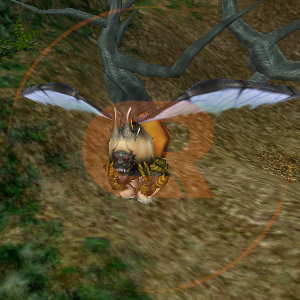
Hornian Queen
Map/Location:
Hornian King's Habitat
Respawn Time: 2h
Drops:
Phillon Token
Item List Table
Table used to display Items on the list. Usable with {{ListItem-PRE}} as opening tag, and {{ListItem-POST}} as closing tag. Use {{ListItem-PRE-NOLINK}} as opening tag if you want no links.
{{ListItem-PRE}}
{{ListItem|W= |LINK=
|NAME= }}
{{ListItem-POST}}
Preview:

|
5.000 WP Capsule
|
|
|
5.000 WP Capsule
|
Height Limiter
Tag used to limit the height of an element, usually Shop Tables or Item List. Usable with {{/Limit-Height}} as closing tag. Use em units. Default = 60em.
{{Limit-Height|H= 60em}} - [Display:block] Used on shop content tables/list items with multiple <tab> / <tab name> tags.{{Limit-Height-InLine|H= 60em}} - [Display:inline-block] Used on list / normal shop content tables without any tab tags.
{{Limit-Height|H= 60em}}

{{Limit-Height-InLine|H= 60em}}

{{/Limit-Height}}
Drafts - ItemTable
ItemTable - Item
Used to display Items, usable with {{E15}} and {{Color}} templates.
{{ItemTableITEM
|WIDTH= 			<!-- Not set. Use "em" units -->
|IMAGE= 			<!-- URL, {{E15}} -->
|NAME= 				<!-- Name, {{color}} -->
|GEAR_TYPE= 		<!-- B-Gear, I-Gear, M-Gear, A-Gear, BG MG IG, All GEARs -->
|LEVEL=
|WEIGHT=
|FUNCTION_NAME_1=
|FUNCTION_1=
|FUNCTION_NAME_2=
|FUNCTION_2=
|FUNCTION_NAME_3=
|FUNCTION_3=
|FUNCTION_NAME_4=
|FUNCTION_4=
|FUNCTION_NAME_5=
|FUNCTION_5=
|FUNCTION_NAME_6=
|FUNCTION_6=
|FUNCTION_NAME_7=
|FUNCTION_7=
|FUNCTION_NAME_8=
|FUNCTION_8=
|FUNCTION_NAME_9=
|FUNCTION_9=
}}
Used Selector Styles:
.ItemTable + .Item + .Title
Preview:
|
Vivace V-3 ['110]
|
| Gear Type
|
All GEARs
|
| Requires Level
|
[100]
|
| Weight
|
50kg
|
| Function
|
| Attack Stat
|
+20
|
| Fuel Stat
|
+18
|
| Spirit Stat
|
+12
|
| Evasion Stat
|
+50
|
ItemTable - Armor
Used to display Armors, usable with {{Color}} templates.
{{ItemTableARMOR
|WIDTH=              <!-- Not set. Use "em" units -->
|IMAGE=              <!-- URL, {{E15}} -->
|NAME=               <!-- Name, {{color}} -->
|GEAR_TYPE=          <!-- B-Gear, I-Gear, M-Gear, A-Gear, BG MG IG, All GEARs -->
|REQUIRED_LEVEL=
|WEIGHT=
|ENERGY=
|SHIELD=
|DEFENSE_STD=
|DEFENSE_ADV=
|EVASION_STD=
|EVASION_ADV=
|ATTK_MIN_STD=
|ATTK_MAX_STD=
|ATTK_MIN_ADV=
|ATTK_MAX_ADV=
|STD_W_DISTANCE=
|ADV_W_DISTANCE=
|BOOSTER_OVERHEAT=
|S_RECOVERY_RATE=
|DROP_MONSTERS=
|DEFENSE_MONSTERS=
|EVASION_MONSTERS=
|STD_ATTK_MONSTERS=
|ADV_ATTK_MONSTERS=
|ACCURACY_STD=
|ACCURACY_ADV=
|PIERCE_STD=
|PIERCE_ADV=
|CRAFT= <!-- [[File:Egma Schills Strength Icon.png|Egma Schills Strength|link=]]    [[File:A-Type Datacube (Red).png|A-Type Datacube (Red)|link=] -->
}}
Used Selector Styles:
.ItemTable + .Armor + .Title
Preview:
|

Advanced Tackle Veil V3 [D]
|
| GEAR Type
|
B-Gear
|
| Required Level
|
[106]
|
| Weight
|
700kg
|
| Function
|
| Energy (Capacity)
|
+4315
|
| Shield (Capacity)
|
+4554
|
| Defense (Std)
|
+24.78%
|
| Defense (Adv)
|
+24.78%
|
| Weapon's Attack (min) (Adv)
|
+5%
|
| Weapon's Attack (max) (Adv)
|
+5%
|
| Craft
|
 
|
ItemTable - Weapon
Used to display Weapon, usable with {{E15}} and {{Color}} templates.
{{ItemTableWEAPON
|WIDTH=                 <!-- Not set. Use "em" units -->
|IMAGE=                 <!-- URL, {{E15}} -->
|NAME=                  <!-- Name, {{color}} -->
|TYPE=                  <!-- Gatling Type, Rifle type, Vulcan type, Missile type, Cannon, Mass drive type -->
|GEAR_TYPE=             <!-- B-Gear, I-Gear, M-Gear, A-Gear, BG MG IG, All GEARs -->
|REQUIRED_LEVEL= XXX
|ATTACK_POWER= (X ~ X) X (X X X)
|ATTACK_POWER/s= XXX ~ XXX
|ACCURACY= XXX.XX%
|PIERCE= XX.XX%
|RANGE= XXXm
|REATTACK_TIME= X.XXs
|OVERHEAT_TIME=    <!-- XX.XXs - STD, Leave blank if not used -->
|VALID_ANGLE=      <!-- X°     - ADV, Leave blank if not used -->
|SPEED=            <!-- XXXm/s - ADV, Leave blank if not used -->
|INDUCTION_RATE=  <!-- XXX°/s - ADV, Leave blank if not used -->
|EXPLOSION_RADIUS= <!-- Xm     - ADV, Leave blank if not used -->
|WEIGHT= XXXkg
|CRAFT= <!-- [[File:Egma Schills Strength Icon.png|Egma Schills Strength|link=]]    [[File:A-Type Datacube (Red).png|A-Type Datacube (Red)|link=] -->
}}
Used Selector Styles:
.ItemTable + .Weapon + .Title
Preview
|

Legend Needlestorm of Max
|
| Type
|
Missile type
|
| GEAR Type
|
BG MG IG
|
| Required Level
|
[115]
|
| Attack Power
|
(159 [+15%] ~ 203 [+15%]) X (4 X 1)
|
| Attack Power/s
|
1046 ~ 1336
|
| Accuracy
|
103.00% [+15%]
|
| Pierce
|
2.50% [+20%]
|
| Range
|
4000m
|
| Reattack Time
|
1.40s [-20%] [-30%]
|
| Valid Angle
|
4°
|
| Speed
|
550m/s
|
| Explosion Radius
|
0m
|
| Weight
|
310kg
|
ItemTable - Engine
Used to display Engines, usable with {{ItemTableEngineFunction}} written inside the template, {{E15}} and {{Color}} templates. Not use end units below Function.
{{ItemTableENGINE
|NAME=
|GEAR_TYPE=		<!--B-Gear, I-Gear, M-Gear, A-Gear, BG MG IG, All GEARs-->
|REQUIRED_LEVEL=
|DEMAND_STAT_ATTACK=
|DEMAND_STAT_DEFENSE=
|DEMAND_STAT_EVASION=
|DEMAND_STAT_FUEL=
|DEMAND_STAT_SPIRIT=
|DEMAND_STAT_SHIELD=
|FUNCTION_NAME_1= <!--Function. Delete or leave blank if not used-->
|FUNCTION_1=
|FUNCTION_NAME_2=
|FUNCTION_2=
|FUNCTION_NAME_3=
|FUNCTION_3=
|FUNCTION_NAME_4=
|FUNCTION_4=
|FUNCTION_NAME_5=
|FUNCTION_5=
|FUNCTION_NAME_6=
|FUNCTION_6=
|FUNCTION_NAME_7=
|FUNCTION_7=
|FUNCTION_NAME_8=
|FUNCTION_8= <!-- Not use end units below -->
|SPEED_MIN=
|SPEED_MAX=
|BOOSTER_SPEED=
|GROUND_SPEED= 		<!--AG, Delete or leave blank if not used-->
|BOOSTER_TIME=
|TURN_RATE=
|TURN_RATE_BOOSTER=
|LATERAL_SPEED=
|WEIGHT=
}}
Used Selector Styles:
.ItemTable + .Engine+ .Title + .Function
Preview
|

Accounter-M XI ['35] V-Attack
|
| Gear Type
|
M-Gear
|
| Requires Level
|
[25]
|
| Demand stat
|
Attack [246]
Defense [68]
Spirit [68]
|
| Function (click)
|
| Defense (Std)
|
-3%
|
| Defense (Adv)
|
-3%
|
| Accuracy (Adv)
|
+6%
|
| Pierce (Std)
|
+14%
|
| Pierce (Adv)
|
+10%
|
| Speed
|
150m/s ~ 190m/s
|
| Booster speed
|
400m/s
|
| Booster time
|
15s
|
| Turn Rate
|
104°/s
|
| Turn Rate (Booster)
|
86°/s
|
| Lateral Speed
|
23m/s
|
| Weight
|
240kg
|
Drafts - Shops
Currency icons:
- War Points Icon.png
- Phillon Token Icon.png
- Pandea Token Icon.png
- Revolt Ignition Token Icon.png
- Killmark Icon.png
- Gold Coin Small Icon.png
- Cosmetic Token Icon.png
- CRP Icon.png
- SPI Icon.png
- PVP Token Icon.png
- Solar Orb Icon.png
- Quasar Orb Icon.png
- Galaxy Orb Icon.png
- Supercluster Orb Icon.png
- Pumpkin Seeds.png
- Pumpkin Shell.png
- Event Killmark Icon.png
Event Shop
Used to display Event Shop content, usable with {{Shops-PRE}} as opening tag and {{Shops-POST}} as closing tag.
Main template inside: {{Shops-EventShop}}. |W= is the width of the 2nd column (NAME). |C= is the currency. Event currency + event killmarks.
{{Shops-EventShop|W=|LINK=
|NAME=
|C1= |C2= |C3= }}
Preview
War Point Shop
Used to display War Point Shop content, usable with {{Shops-PRE}} as opening tag and {{Shops-POST}} as closing tag.
Main template inside: {{Shops-WPShop}}. |W= is the width of the 2nd column (NAME). |C= is the currency. War Points.
{{Shops-EventShop|W=|LINK=
|NAME=
|C= }}
Preview
Gold Coin Shop
Used to display Gold Coin Shop content, usable with {{Shops-PRE}} as opening tag and {{Shops-POST}} as closing tag.
Main template inside: {{Shops-GoldCoinShop}}.
|W= is the width of the 2nd column (NAME). |C= is the currency. Gold Coin.
{{Shops-GoldCoinShop|W=|LINK=
|NAME=
|C= }}
Preview
Killmark Shop
Used to display Killmark Shop content, usable with {{Shops-PRE}} as opening tag and {{Shops-POST}} as closing tag.
Main template inside: {{Shops-KillmarkShop}}.
|W= is the width of the 2nd column (NAME). |C= is the currency. Killmarks.
{{Shops-KillmarkShop|W=|LINK=
|NAME=
|C= }}
Preview
Boss Token Shop
Used to display Boss Token Shop content, usable with {{Shops-PRE}} as opening tag and {{Shops-POST}} as closing tag.
|W= is the width of the 2nd column (NAME). |C= is the currency. Phillon Token, Pandea Token, Revolt Ignition Token.
Main template inside: {{Shops-BossTokenShop}}
{{Shops-BossTokenShop|W=|LINK=
|NAME=
|C1= |C2= |C3= }}
Preview
IF Vendor
Used to display Infinity Field Vendor content, usable with {{Shops-PRE}} as opening tag and {{Shops-POST}} as closing tag.
|W= is the width of the 2nd column (NAME). |C= is the currency. Galaxy Orb Icon, Quasar Orb Icon, Solar Orb Icon, Supercluster Orb.
Main template inside: {{Shops-IF}}
<!-- Galaxy Orb / Quasar Orb / Solar Orb / Supercluster Orb -->
{{Shops-IF|W=|LINK=
|NAME=
|C1= |C2= |C3= |C4= }}
Preview
Charm Shop
Used to display Charm Shop content, usable with {{Shops-PRE}} as opening tag and {{Shops-POST}} as closing tag.
|W= is the width of the 2nd column (NAME). |C= is the currency. PVP Token.
Main template inside: {{Shops-CharmShop}}
{{Shops-CharmShop|W= |LINK=
|NAME=
|C= }}
Preview
Shops using Cosmetic Token as currency
Used to display Shops that use Cosmetic Tokens as currency, usable with {{Shops-PRE}} as opening tag and {{Shops-POST}} as closing tag.
Main template inside: {{Shops-CosmeticToken}}.
|W= is the width of the 2nd column (NAME). |C= is the currency. Cosmetic Token.
{{Shops-CosmeticToken|W=|LINK=
|NAME=
|C= }}
Preview
Shops using SPI as currency
Used to display Shops that use SPI as currency, usable with {{Shops-PRE}} as opening tag and {{Shops-POST}} as closing tag.
|W= is the width of the 2nd column (NAME). |C= is the currency. SPI.
Main template inside: {{Shops-ShopsSPI}}
{{Shops-ShopsSPI|W=|LINK=
|NAME=
|C= }}
Preview
CRP Shop
Used to display CRP Shop content, usable with {{Shops-CRPShop-PRE}} as opening tag and {{Shops-CRPShop-POST}} as closing tag.
Also used with:{{Shops-CRPShop-ITEM-SEPARATOR}} as item separator, {{Shops-CRPShop-ROW-SEPARATOR}} as row separator and {{Shops-CRPShop-BLANK}} as blank item at the bottom of the tab.
{{Shops-CRPShop-PRE}}
{{Shops-CRPShop-ITEM-SEPARATOR}}
{{Shops-CRPShop|LINK=
|NAME=
|QNT=
|PRICE= }}
{{Shops-CRPShop-ITEM-SEPARATOR}}
{{Shops-CRPShop|LINK=
|NAME=
|QNT=
|PRICE= }}
{{Shops-CRPShop-ITEM-SEPARATOR}}
{{Shops-CRPShop|LINK=
|NAME=
|QNT=
|PRICE= }}
{{Shops-CRPShop-ROW-SEPARATOR}} <!-- NEXT ROW -->
{{Shops-CRPShop-ITEM-SEPARATOR}}
[...]
{{Shops-CRPShop-POST}}
Preview

